
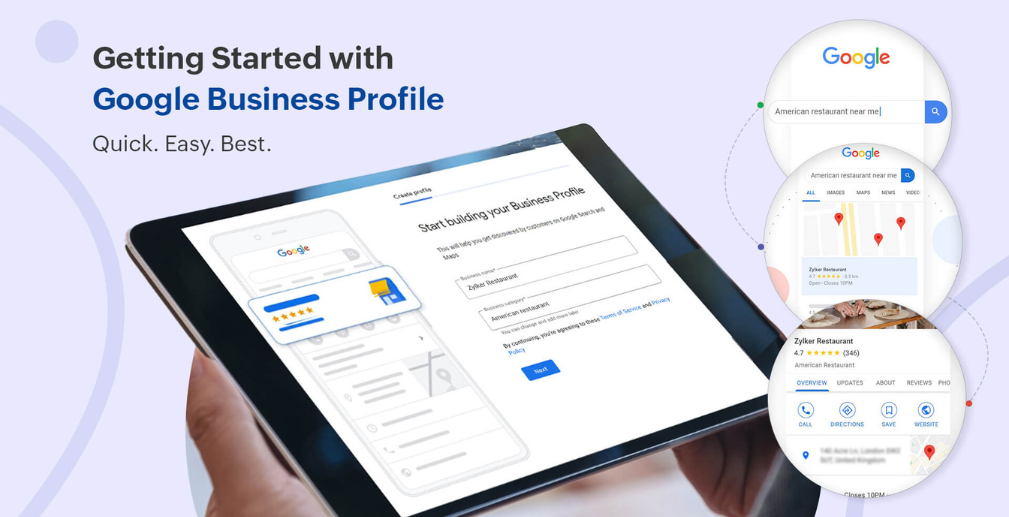
If you’re running a local business, you’ve probably already claimed and set up your Google Business Profile. But while many business owners use basic features like listing their business name, address, and hours, there are many lesser-known tools that can make a huge difference in visibility, customer engagement, and ultimately sales. In this post, we’ll walk you through some powerful, yet underutilized features of Google Business Profile that can elevate your online presence and help you stand out from the competition.
1. The Power of Google Posts: Share Your Business Updates
What are Google Posts?
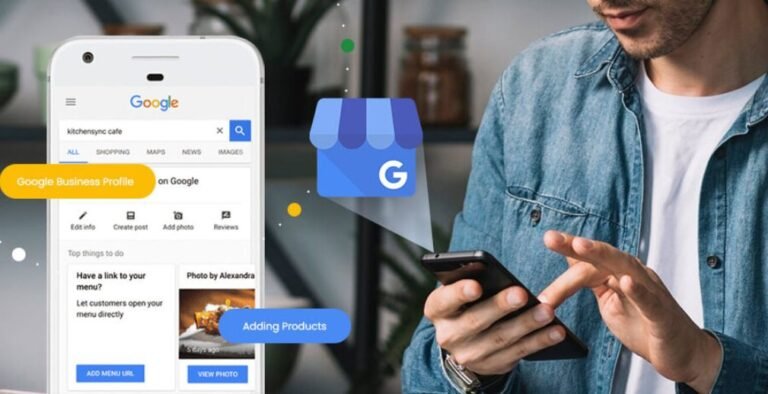
Google Posts allow you to directly share updates, events, offers, and news on your Google Business Profile. These posts appear on your business’s Google Search and Google Maps listings. They are an easy and effective way to communicate time-sensitive promotions or updates to your audience.
How to Use Google Posts Effectively:
Google Posts can include text, images, and call-to-action buttons like “Book Now,” “Learn More,” or “Call Now.” Here’s how to make the most of this feature:
- Promote Time-Sensitive Deals: Use Google Posts to advertise special offers, discounts, or limited-time promotions. For example, share holiday sales or flash sales that drive immediate action.
- Share Updates and News: Announce product launches, changes in business hours, or new services directly on your profile.
- Engage with Your Audience: Ask for feedback or announce events like workshops or webinars that might interest your target customers.
The Benefits of Google Posts:
- Increased Visibility: Google Posts can appear in search results, giving your business an extra boost on the search engine results page (SERP).
- Customer Interaction: Posts encourage users to interact with your business directly, which can drive traffic to your website and even increase foot traffic.
Examples of Successful Google Posts:
- A local restaurant might share a “Happy Hour” promotion using a Google Post, offering a direct link to the menu and a “Call Now” button for easy reservations.
2. Photos and Videos: The Visual Advantage
Why Photos and Videos Matter:
Consumers are 80% more likely to engage with listings that include photos and videos. Visuals are an essential part of making a memorable first impression online. They can also provide more information about your business, products, or services in a way that words alone can’t.
Best Practices for Adding Photos:
- Include High-Quality Images: Your photos should showcase your products, services, employees, and business premises. Make sure they’re bright, clear, and professionally taken if possible.
- Diverse Photos: Upload different types of images like your storefront, team, products, and services to give users a full picture of your business.
- Use Captions: Adding descriptive captions and alt-text to your photos can help with SEO and improve the accessibility of your profile.
Using Videos to Boost Engagement:
Adding videos can further elevate your profile. You can upload videos like:
- Business Tours: Show what your store or office looks like.
- Customer Testimonials: Share videos of satisfied customers talking about their experience.
- Behind-the-Scenes: Give customers a sneak peek into your process or team.
The Benefits of Photos and Videos:
- Enhanced Engagement: Listings with photos and videos get 42% more requests for directions and 35% more click-throughs to websites.
- Trust-Building: High-quality visuals give users confidence that they’re dealing with a professional and trustworthy business.
3. Google Q&A: Building Trust and Transparency
What is the Google Q&A Feature?
The Google Q&A feature allows potential customers to ask questions directly on your Google Business Profile, and you or your customers can answer them. It’s a great way to provide quick and transparent information.
How to Maximize Google Q&A:
- Proactively Answer Questions: Don’t wait for customers to ask; post answers to frequently asked questions like “What are your business hours?” or “Do you offer delivery?”
- Encourage Customer Interaction: Invite your customers to share their experiences and answer common questions they may have.
- Manage Q&A Carefully: Ensure that answers are accurate and helpful. If a question goes unanswered, reply promptly to avoid confusion.
How to Manage and Optimize Your Q&A:
- Be Clear and Helpful: Respond to all questions with clear, concise, and helpful information.
- Highlight Helpful Answers: Mark helpful answers as “Best Answer” to showcase useful responses to future customers.
Real-Life Examples of Effective Use:
- A fitness studio may answer questions like “Do you offer online classes?” and provide responses like “Yes, we offer live-streamed classes every Monday and Wednesday.”
4. Messaging: Connect with Customers in Real-Time
Overview of the Google Business Profile Messaging Feature:
Messaging allows customers to send direct messages to your business. This real-time communication can be a powerful tool for engaging with potential customers.
How to Set Up and Optimize Messaging:
- Enable the Messaging Feature: Make sure the messaging feature is turned on from your Google Business Profile dashboard.
- Respond Quickly: Set up notifications so you can reply to inquiries quickly, as 79% of consumers say they value timely responses.
- Use Templates: Save time by creating response templates for common questions, like pricing or availability.
The Benefits of Real-Time Communication:
- Improved Customer Satisfaction: Real-time answers help resolve customer inquiries faster, building trust and increasing the likelihood of a conversion.
- Stronger Relationships: Engaging with customers instantly fosters stronger relationships and loyalty.
Best Practices for Using Messaging:
- Be Prompt: Respond as quickly as possible to customers, especially during business hours.
- Keep It Friendly and Professional: Your messages should be warm and polite, but always maintain professionalism.
5. Services Menu: Highlight What You Offer
What is the Services Menu?
The Services menu allows you to list specific services or products directly in your Google Business Profile. This makes it easier for customers to see exactly what you offer without leaving the page.
How to Set Up and Optimize Your Services:
- Add Detailed Service Descriptions: For each service, provide a clear description of what’s included. For example, a hair salon might list “Haircut & Styling” with a description of the services offered.
- Include Pricing: If possible, list the prices of your services so customers can make quick decisions.
- Categorize Your Services: Group services logically (e.g., haircuts, facials, massages for a spa) so that users can easily browse through them.
The Importance of Having a Detailed Service Menu:
A well-structured service menu can:
- Help Customers Choose Faster: When customers know exactly what they can expect, they’re more likely to convert.
- Improve SEO: Listings with service menus tend to rank higher in local search results.
6. Special Attributes: Customize Your Profile for Specific Needs
What Are Special Attributes?
Special attributes allow you to highlight unique aspects of your business, such as whether it’s wheelchair accessible, women-led, or offers a veteran discount.
Why These Attributes Matter:
These attributes can help your business stand out and resonate with customers who prioritize certain values.
How to Add and Optimize Special Attributes:
- Select the Right Attributes: Choose the attributes that are most relevant to your business and target audience.
- Highlight Your Unique Qualities: For example, if your business is veteran-owned, add that to increase trust with potential customers.
Examples of Businesses Using Special Attributes Effectively:
- A local café might add “Women-led” as a special attribute, signaling to customers that they support female entrepreneurs.
7. Reviews: Responding and Leveraging User Feedback
The Importance of Reviews in Google Business Profile:
Customer reviews are a major factor in local SEO. They help build trust, improve your rankings, and influence customer decisions.
How to Ask for Reviews Without Spamming:
- Politely Request Reviews: After a successful transaction, ask customers if they’d be willing to leave a review.
- Provide Easy Instructions: Make the process simple by sharing a direct link to your Google Business Profile review section.
How to Respond to Reviews Effectively:
- Respond to All Reviews: Acknowledge both positive and negative feedback professionally.
- Keep Responses Personalized: Avoid generic responses. Tailor your replies to each customer’s specific review.
Using Reviews to Improve Your Profile:
- Showcase Positive Feedback: Highlight good reviews to boost your credibility.
- Learn from Negative Reviews: Use constructive criticism to improve your business and services.
Conclusion
By now, you should have a good idea of how to take full advantage of the features in your Google Business Profile that you may not have been utilizing yet. From Google Posts to reviews and special attributes, these tools can help your business stand out, engage customers, and ultimately increase your bottom line.
So, what are you waiting for? Start implementing these features today and watch your business grow on Google!