
In today’s digital age, local SEO is crucial for businesses that want to be discovered by customers in their area. One of the most powerful tools for enhancing local visibility is Google Business Profile (formerly Google My Business). If your business isn’t showing up in local search results or Google Maps, you’re missing out on valuable opportunities to connect with potential customers.
In this guide, we’ll walk you through the process of optimizing your Google Business Profile for local SEO, helping you increase your visibility, engage with customers, and ultimately grow your business.
1. What is Google Business Profile?
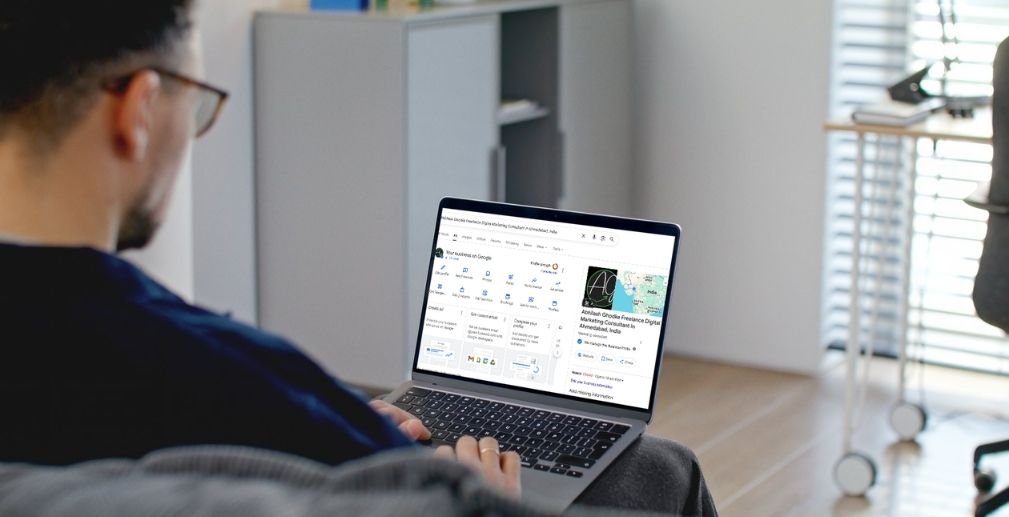
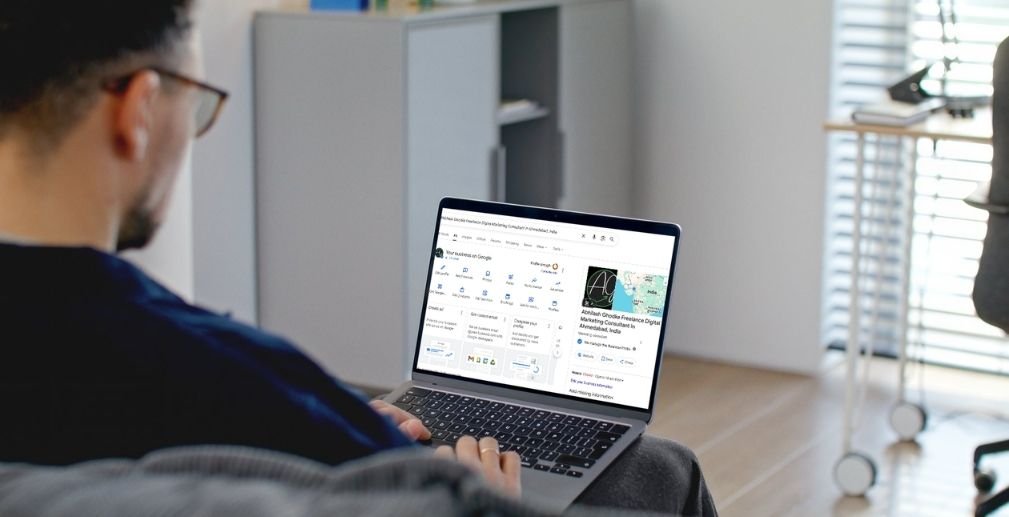
Google Business Profile (GBP) is a free tool from Google that allows businesses to manage their online presence across Google, including Search and Maps. By creating and optimizing your GBP, you enable your business to appear in local search results, which is essential for customers looking for products or services in their vicinity.
Key Features of Google Business Profile:
- Business Details: Add important information like business name, address, phone number, website, and hours of operation.
- Photos and Videos: Upload images and videos to showcase your products, services, and the inside of your business.
- Reviews: Customers can leave reviews, and businesses can respond to them.
- Insights: Track how customers interact with your business profile.
- Posts: Share updates, offers, and events directly on your business profile.
2. Why Google Business Profile is Crucial for Local SEO
Improves Local Visibility
A well-optimized Google Business Profile increases your chances of appearing in the local pack—the map and business listings that appear at the top of local search results. This visibility is crucial because it makes it easier for nearby customers to find you.
Boosts Search Engine Rankings
Your GBP is a key ranking factor for local SEO. When your profile is complete and optimized with relevant information, it improves your chances of ranking higher in both Google Search and Google Maps.
Builds Customer Trust
Having an updated and active GBP boosts your credibility. Customers trust businesses with verified and complete profiles, leading to higher engagement and conversions.
3. Step-by-Step Guide to Setting Up Your Google Business Profile
Step 1: Creating a Google Business Profile Account
To get started, visit the Google Business Profile website and create an account. You’ll need to verify your business, usually via a postcard sent to your business address or through phone/email verification.
Step 2: Adding Business Information
Once verified, add key details about your business:
- Business Name: Ensure it’s the same as your real-world business name.
- Business Address: If you have a physical store, include the address. For service-based businesses, list the areas you serve.
- Phone Number and Website: Ensure the contact details are accurate.
- Business Hours: Include regular and holiday hours to keep customers informed.
Step 3: Adding Categories and Services
Select a primary business category that most accurately describes your business. Google uses this category to determine which searches your business shows up for. You can also add additional services or products to further help with search rankings.
4. Optimizing Your Profile for Local SEO
Business Description: Crafting an Engaging Business Summary
Your business description is an opportunity to introduce your business to potential customers. Include important keywords related to your industry, but keep it natural and informative. Explain what your business does and what sets you apart from competitors.
Adding Photos and Videos
Visual content is essential for engagement. High-quality photos and videos help your business stand out. Upload images that show your products, storefront, employees, and services. Google also allows videos, which can help tell your business story and engage customers more effectively.
- Tip: Studies show businesses with photos get 42% more requests for directions and 35% more click-throughs to their websites.
Using Google Posts
Google Posts allow you to share offers, news, events, or updates directly on your profile. These posts can appear in search results, offering real-time information to potential customers. Regular posting can also help improve your rankings.
Responding to Reviews
Reviews are one of the most important factors influencing local SEO. Positive reviews can improve your rankings and build customer trust. Encourage satisfied customers to leave reviews and respond to both positive and negative feedback promptly.
5. Advanced Tips for Google Business Profile Optimization
Leveraging Google’s Q&A Feature
Google’s Q&A feature allows potential customers to ask questions about your business, and you can provide answers directly on your profile. This is an excellent opportunity to highlight your expertise and further engage with customers.
Using the Booking Feature
If your business offers services that require appointments (such as salons or clinics), enable the booking feature on your GBP. This makes it easier for customers to book directly from your profile, increasing conversions and customer satisfaction.
Adding Products and Services
List the products and services you offer on your Google Business Profile. Include detailed descriptions, pricing, and even product images. This feature allows Google to better understand what your business offers and match it to relevant searches.
Ensuring Profile Completeness
Google favors complete profiles. Fill out every available section, from business hours to service areas, and ensure your details are up-to-date. A complete profile can boost your local search rankings.
6. How to Track Your Google Business Profile Performance
Google Business Profile Insights
Google offers valuable insights into how customers are interacting with your profile. You can track:
- How many people viewed your profile.
- How they found you (search terms, direct search, etc.).
- Customer actions (calls, website clicks, direction requests).
Making Data-Driven Improvements
Monitor the data provided by Google Business Profile Insights to see what’s working and what needs improvement. If you notice low engagement on certain posts or photos, consider updating them or trying new content.
7. Common Mistakes to Avoid in Google Business Profile Optimization
Inaccurate or Outdated Information
Ensure that all information on your profile is accurate and up-to-date. Incorrect contact details or business hours can frustrate customers and harm your rankings.
Ignoring Reviews
Not engaging with customer reviews can harm your reputation. Responding to reviews shows that you care about customer feedback and helps build trust.
Incomplete Profile
An incomplete profile, missing key details like business hours or a description, can negatively impact your search rankings. Always make sure your profile is 100% filled out.
8. Maintaining Your Google Business Profile
Regular Updates
Your business profile isn’t something you set and forget. Keep your profile updated with the latest business hours, new photos, seasonal offerings, and promotions. This helps you stay relevant and visible.
Engagement with Customers
Respond to customer reviews, questions, and messages regularly. Active engagement shows potential customers that you value their input and are committed to providing excellent service.
Conclusion
Optimizing your Google Business Profile is one of the most effective ways to improve your local SEO and increase your business’s online visibility. By following this guide and ensuring your profile is complete, accurate, and engaging, you can significantly improve your chances of appearing in local search results and connecting with customers.
Remember, consistency is key. Regularly update your profile, respond to reviews, and track your performance to ensure continued growth. Start optimizing your Google Business Profile today, and watch your business thrive in local search!